
Patriot Tech Services Inc. Blog
Patriot Tech Services Inc. has been serving the Wheelersburg area since 2006, providing IT Support such as technical helpdesk support, computer support, and consulting to small and medium-sized businesses.


Do you remember the days where you didn’t have the the Internet? Remember going to the library to research information, or using a phone book to find contact information for an important contact? These are only a few ways that the Internet has changed society.
0 Comments

Depending on who you ask, RAM will mean a different thing, but in computing, there is only one true meaning. RAM stands for Random Access Memory, and it’s a major component in your computer. But what exactly does it do, and what role does it play in ensuring that your organization stays productive and efficient?
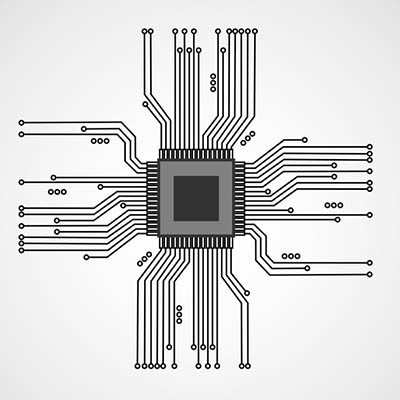
A computer is a complicated device, so it needs something to help it “think.” Because of this weighty responsibility, the component that serves this purpose is arguably one of the most important of all a computer’s pieces. Known as a CPU, this little chip is truly essential to the computer’s function. For today’s Tech Term, we’ll examine it a little more closely.

In most businesses today, the computer is an essential tool. Taking this into consideration, you need to make sure that your staff is equipped with the right tools for their given job… but which tool is the right tool? Here, we’ll review the determinations that will help you make the best choice of workstation for your employees’ needs.
The modern worker (or really, the modern person) spends a lot of their time looking at a computer screen. Considering this, it only makes sense that their screens and the items displayed on them are arranged in a way that they like. Our tip covers a few shortcuts to help you arrange and view the items on your workstation a little quicker.

Laptop touchpads can be difficult to work with. If you’ve ever been stuck in a frustrating situation where your touchpad isn’t working properly, you know what this feels like. In a worst-case scenario, touchpad problems can cause data loss and a loss of productivity, leading to downtime that directly affects your ability to work properly. If you’re having touchpad problems, try these five troubleshooting tips.
 A computer is a complex machine that demands routine maintenance and intentional caretaking. If ignored, the machine’s lifespan will be cut short. Here are four best practices that will ensure you get the most out of your PC.
 After a long, hard day at the office, you might be tempted to just log off of your workstation so you can get right back into it the next day. However, you also have the option to shut down the PC, which can be beneficial at times. So, what should you do; power down your desktop, or simply log off? Both have their own pros and cons, so it’s important that you’re informed of how you make this decision.
 Your workstation might be designed to save time, but sometimes shaving off seconds doesn’t have to be complicated. A few seconds here and there can really make the difference when it comes time to wrap up a major project. Taking this aspect to a whole new level is the often-forgotten mouse feature, Snap To.
 Nothing can damage a computer quite like user error. It’s sad when this happens because it’s often the case that the resulting issues could’ve easily been prevented if the user simply knew of PC best practices. Take for example these three easily-preventable PC mistakes that will do your computer harm.
 Have you ever tried describing a PC issue on the phone to tech support, and you get nowhere because you’re having such a difficult time describing the problem? To be sure, this is a frustrating experience. By taking a screenshot, you can send an image of the exact problem you’re experiencing, which will really help clear things up.
Taking a screenshot is as easy as using the right keystrokes. Here’s how you do it.
 Computers can feel one dimensional, requiring the user to read and type. Humans don’t naturally interact like this. We communicate best with our voices and our ears. One day, our PCs will have artificial intelligence and we will be able to communicate with them as if we were talking to a person. Until this technology becomes mainstream, these two audio features will have to make do.
News & Updates
Businesses will often go into the process of self-improvement with unrealistic expectations for how much they can significantly improve their functionality. This simply is not true, and sometimes business owners need to realize that real change—the k...
Understanding IT
Get the Knowledge You Need to Make IT Decisions
Technology is constantly evolving, and keeping up can feel overwhelming. Whether you want to understand cybersecurity threats, explore automation, or learn how regulations like PCI DSS impact your business, we’ve made it easy to access clear, straightforward insights on key IT topics.
Contact Us
Learn more about what Patriot Tech Services Inc. can do for your business.
Patriot Tech Services Inc.
578 State Route 522
Wheelersburg, Ohio 45694