
Patriot Tech Services Inc. Blog
Patriot Tech Services Inc. has been serving the Wheelersburg area since 2006, providing IT Support such as technical helpdesk support, computer support, and consulting to small and medium-sized businesses.

Microsoft offers solutions that have a proven history of being assets when businesses adopt them - but like most any solution, what may fit well for one, may not fit well for all. Here, we’ll consider one of Microsoft offerings to help you determine if it is the right solution for your needs and requirements.
0 Comments
Microsoft is effectively ditching OneNote 2016 in favor of the OneNote application bundled with Windows 10. The note-taking app will still be supported until October 2020, with extended support offered after that, but Microsoft will no longer be adding additional features to it, and is instead putting all of their efforts into making the version bundled with Windows 10 the definitive version. Here are some details to keep in mind when making the switch between these two solutions.

Two of Microsoft’s most popular relational database management systems, SQL Server 2008 and SQL Server 2008 R2 will be losing support on July 9, 2019. If your business continues to use one of these titles for its database management, you are running out of time before you need to upgrade. Today, we’ll take a brief look at what the software is used for and what options are open to you going forward.
Businesses generally have to make an important choice about which brand of productivity software they will implement for day-to-day operations. Two of the heavy hitters in today’s business environment are Google and Microsoft utilizing their respective productivity solutions. While the choice of which service to work with seems exclusive, Google is making strides to break down this barrier and allow certain file types to be edited in Google Drive.
Microsoft Word is a major player in modern word processing programs, and it’s largely due to the many tools and capabilities that are important for users. You can use various techniques to adjust Word so that you can get the most use out of it. This week’s tip is dedicated to these techniques.
Microsoft Word has been one of the most utilized software titles in the history of personal computing. Despite heavy competition, millions of people use it every day as their daily word processor. Today, we’ll take a look at the history of Microsoft Word, and how it has come to become such a powerful and popular software title.
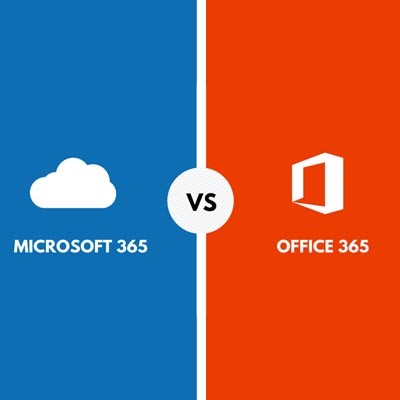
As we’re sure you already know, Microsoft has become a juggernaut in the increasingly competitive business world with its countless solutions for organizations both small and large. With so many options, it can be tricky to figure out the right solution for your business. Thankfully, you don’t have to go about it alone. We’ll help you understand the difference between Microsoft’s Office 365 and Microsoft 365 solution… and yes, they are different.
Microsoft Word is one of those computer applications that has so many tricks hidden in it that you constantly have opportunities to show off how much you’ve learned. These skills could make or break your job performance under the right conditions, and if you know how to use them efficiently, they can help you save your job if it’s in peril.

With a meager market share that is one-third the size of Google’s, one would think that Bing would be trying to keep controversy away from a user’s search results. However, the Microsoft search engine has recently encountered a few notable PR disasters that may be enough to convince some not to use it - especially if it leads to a security breach.

It’s been over two years since Microsoft officially cut the cord on Windows XP. As the most popular Windows operating system at the time, it was a huge blow to both businesses and consumers alike. Thankfully, a migration to Windows 10 isn’t nearly as difficult as one from XP. What lessons can be learned from Windows XP’s end of life event that can be applied to upgrading to Windows 10?
Your technology is a gateway to productivity, and Microsoft has managed to put together a great way to use it with their latest operating system. In Windows 10, you can use Windows Ink to doodle or take notes on your screen while using a Microsoft application like Word, PowerPoint, or OneNote.

It’s football season once again, and this year, we want to show you how to set up Cortana to follow your favorite teams--football or otherwise. It’s actually easier than you might think! Before we begin, remember that this only works on devices that have Cortana, so it will likely need to be set up on your Windows PC.

In case you’re looking for a nice alternative PDF file-editing software, the most recent version of Microsoft Word can do so. Since the investment for Adobe Acrobat isn’t for everyone, you can instead turn to the tried-and-true all-purpose word processing software to edit your PDF files.
Microsoft OneNote is an extremely useful application in the professional setting, with plenty of features and capabilities to assist in keeping you and your employees organized. These features are actually comprehensive enough that OneNote could feasibly serve as your project management tool. For this week’s tip, we’ll review how.
Windows 10, the latest operating system in Microsoft’s repertoire, has several business-friendly features that can potentially improve your organization’s workflow. However, many users are reporting that Windows 10 is installing on their devices automatically without their consent. If this is true, and your organization’s software is upgraded without your consent, you could be facing a big issue.
 Safe Mode has long been a troubleshooting method for Windows operating systems, but Windows 10 has done away with the classic method of booting up in Safe Mode. Instead of simply pressing F8 during Windows startup, you now have to go into your settings and manually configure your computer to do so. Here’s how it’s done.
 Internet-users rejoice all over the world, for just last week, Internet Explorer 8, 9, and 10, will no longer be supported by Microsoft. That’s right; no more patches or security updates for good old IE. This makes continuing to use older versions of Windows a cause for concern. Perhaps this is for the best, but in light of this news, users of IE will want to either update to IE 11, or switch to a new browser.
 Just months after releasing their newest operating system, Windows 10, Microsoft is now updating the world’s most popular productivity software. Office 2016 makes several improvements over the Office 2013 versions of Word, Excel, PowerPoint, and the other applications that businesses from all over the world rely on to stay productive. The software, which focuses on making productivity and cooperation possible, has gotten a substantial upgrade in collaborative features.
 With Windows 10 to be launched on July 29th, all thoughts are drifting toward the inevitable upgrade to Microsoft’s brand-new operating system. However, we’d like to take a moment to travel back in time to last spring, when Windows XP expired. Remember how we warned that your business would need to shell out big bucks for custom support if you want to keep running Windows XP? It turns out that there are some who just can’t let go of the expired OS; including the US Navy.
News & Updates
Businesses will often go into the process of self-improvement with unrealistic expectations for how much they can significantly improve their functionality. This simply is not true, and sometimes business owners need to realize that real change—the k...
Understanding IT
Get the Knowledge You Need to Make IT Decisions
Technology is constantly evolving, and keeping up can feel overwhelming. Whether you want to understand cybersecurity threats, explore automation, or learn how regulations like PCI DSS impact your business, we’ve made it easy to access clear, straightforward insights on key IT topics.
Contact Us
Learn more about what Patriot Tech Services Inc. can do for your business.
Patriot Tech Services Inc.
578 State Route 522
Wheelersburg, Ohio 45694