
Patriot Tech Services Inc. Blog
Patriot Tech Services Inc. has been serving the Wheelersburg area since 2006, providing IT Support such as technical helpdesk support, computer support, and consulting to small and medium-sized businesses.



It isn’t often that one hears it discussed in the office, but the human body is an incredible piece of technology. Since your employees are so key to your business’ success, you’d benefit from doing everything you could to help your employees to take good care of their physical health.
0 Comments
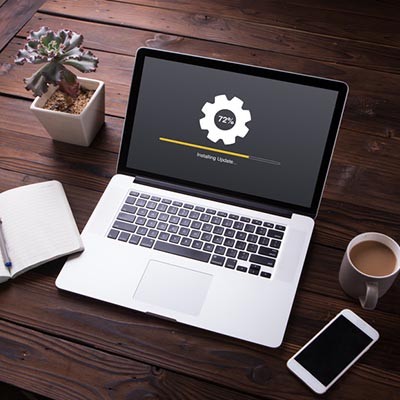
You walk into the office, just like you would on any other morning, and discover that there are updates that need to finish applying before you can use your workstation. Well, that’s certainly frustrating. Sure, it’ll probably only take a few minutes to complete, but you have your coffee in hand, and you’re ready to dive into the day. How can you burn that time, without it being a total waste?

Passwords are always a major pain point for businesses, but in some industries, their importance is emphasized more than others. In particular, government-based organizations need to be prepared to keep more secure passwords. While we understand that not all organizations are government-based, there’s something to be said about proper password practices that we can all learn something from.

Even with a data recovery strategy, you can’t expect all problems related to data continuity to be resolved simply by having a strategy in place. Take a moment to ask yourself if you have the right strategy for your business’ needs. Below you will find several considerations to keep in mind when planning your data backup system, as well as how to make it happen.

Windows 10 just got a second update for 2018. Some experts think this many major updates to the OS is too many, but when you start to look at the features available through this second update, you may be happy that Microsoft has decided to release it (and re-release it). Today, we’ll take a look at the new update, and a couple of the helpful features that it has rolled out to users.
Data backup tends to carry with it the association that your business could end at any moment, and while this is an important reason to implement data backup, there are countless others to consider as well. You might find that they are just as important to your organization as saving it from a devastating data loss disaster.

Even the simplest tasks in the office can eat up a surprising amount of time over the span of a year. For example, did you know that switching from your keyboard to your mouse can consume up to eight full work days every year? By taking advantage of keyboard shortcuts, you can cut down on the amount of time wasted on these little tasks.

Hurricane season can be a scary time for business owners, as those in at-risk climates can never feel safe from these kinds of unpredictable and devastating storms. In particular, those who aren’t prepared to face this destruction are in considerable danger of having their organizations ended for good following a disaster event like a hurricane. We’ll help you make sure your business doesn’t suffer this same fate the next time it stares down a disaster.

Depending on their work roles within your organization, your employees will either have an ordinary user account or an administrator account. This can be one of the more stressful parts of managing a network, as the answer for who gets administrator access isn’t always clear. We’ll explain what an admin account is and why it’s important to have restraint when looking at who should have an admin account.
Slow computers are one of the small annoyances in an office that can implicate a much larger issue is hidden. The frustration stems from not being able to get anything done, whether it’s because the computer isn’t responding to your commands or it’s so slow that you can’t accomplish anything noteworthy in your day. Thankfully, you can take some steps to check the speed of your computer so as to take proper action when it’s not working at expected.
 Every business wants to be like Google and provide employees with a dynamic place to work, filled with amenities. It would probably be a dream come true for your organization to sit next to Google on Glassdoor’s annual list of “50 Best Places to Work.” Reality check: you’re not Google, as you’re reminded of this every time you attempt to balance your company’s budget.
 A computer is a complex machine that demands routine maintenance and intentional caretaking. If ignored, the machine’s lifespan will be cut short. Here are four best practices that will ensure you get the most out of your PC.
 After a long, hard day at the office, you might be tempted to just log off of your workstation so you can get right back into it the next day. However, you also have the option to shut down the PC, which can be beneficial at times. So, what should you do; power down your desktop, or simply log off? Both have their own pros and cons, so it’s important that you’re informed of how you make this decision.
 Technology solutions for small and medium-sized businesses can be complex, which is why simplification is at the top of a lot of executives’ priorities. To this end, virtualization is a key component, helping organizations make their IT easier to manage. What effect does this have on data security?
 The average human being spends a significant portion of their life online, especially now that smartphones make staying connected to the latest happenings in both news and entertainment even easier than before. This, unfortunately, makes it rather easy to see spoilers for major plot points in your favorite movies, TV shows, or video games. To avoid these, try out the Spoiler Alert extension for Google Chrome.
 Nothing can damage a computer quite like user error. It’s sad when this happens because it’s often the case that the resulting issues could’ve easily been prevented if the user simply knew of PC best practices. Take for example these three easily-preventable PC mistakes that will do your computer harm.
 Despite the rapid advancements of business technology in the past decade, enterprises the world over are still heavily dependent upon email. Therefore, every modern worker needs to be trained on how to send a professional email. If not, classic email mistakes will be made that could bruise your company’s reputation, like these four common email blunders.
 September 30th is Disaster Preparedness Day. This gives us a great reason to go over some of the most common disasters that can potentially affect your businesses. There are dozens of potential disasters to choose from, but since we’re an IT company, we’re going to focus on the four top disasters that can mess with your company’s IT infrastructure.
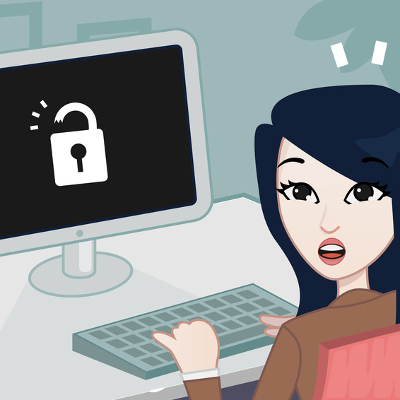 You know the saying “you can never be too careful”? It’s always said by the person who understands the value of proceeding with caution, and understands that all it takes is a moment to lose everything. In some cases, it could be your workplace dignity, but in others, you need to cover your tracks to prevent hackers and other miscreants from performing the unspeakable: messing with your computer while you’re away from it momentarily.
 Every business executive knows the struggle of employee turnover. Your employees might come and go, but your data is one thing that you can’t afford to lose from your business. You might feel that you can trust all of the employees who have put in years of effort to ensure your organization stays afloat, but you may be surprised to learn that a significant number of them will probably leave your company with at least some corporate data.
News & Updates
Businesses will often go into the process of self-improvement with unrealistic expectations for how much they can significantly improve their functionality. This simply is not true, and sometimes business owners need to realize that real change—the k...
Understanding IT
Get the Knowledge You Need to Make IT Decisions
Technology is constantly evolving, and keeping up can feel overwhelming. Whether you want to understand cybersecurity threats, explore automation, or learn how regulations like PCI DSS impact your business, we’ve made it easy to access clear, straightforward insights on key IT topics.
Contact Us
Learn more about what Patriot Tech Services Inc. can do for your business.
Patriot Tech Services Inc.
578 State Route 522
Wheelersburg, Ohio 45694