
Patriot Tech Services Inc. Blog
Patriot Tech Services Inc. has been serving the Wheelersburg area since 2006, providing IT Support such as technical helpdesk support, computer support, and consulting to small and medium-sized businesses.


Every day, it seems like there’s a new threat to be concerned about. Obviously, there’s the big one that the whole world’s been dealing with, but there’s also the smaller things that we’re supposed to be worried about… like “blue light”, for example. What is that, and what can it really do?
As it turns out, blue light is more than just a marketing gimmick, and can potentially impact your health. Let’s go over a few tips to help you filter it out, and why you may want to do so.
0 Comments

Most businesses nowadays rely quite heavily on information technology to operate, as I’ve no doubt that you’re aware of. That’s why we thought it would be valuable to share some very simple IT best practices to help assist your operations by keeping your resources productive and secured.

As current events have made congregating in an office irresponsible and hazardous, many companies are sustaining their operations by enabling remote work. While we normally focus on how you should properly take care of your technology, we wanted to shift our focus momentarily to the people using this technology, and how they can do so more safely.
To do so, we have to consider ergonomics.

Business efficiency can be greatly helped by putting a concrete process in place, which is why it feels so natural to develop one in the workplace. Of course, these processes should also come into play when working from home. Let’s review what makes a routine so beneficial, and how you can develop one to optimize your success.
PDFs--Portable Document Format files--are a common enough thing to see. However, many people may not realize the extent of what can be done with them… like editing them. For our tip this week, we’ll go over a few of the ways you can create and edit a PDF file.

Google may know a lot, but believe it or not, it doesn’t know everything. For instance, you may be trying to write up a document in Google Docs that Google doesn’t recognize. Maybe it’s one of your services that you’ve created a name for, or even the name of your business. The problem is that Google likes changing words it deems “wrong”. For this week’s tip, we’ll go over how to stop it from changing words you meant to use.
One of the most common file types you hear about is the Portable Document Format file - although you probably know it simply as a PDF. PDFs are so well known because they are the best way to save a document so that, regardless of the device it is viewed on, the file will always appear the same. Did you know that you can do more than just look at a PDF? Here, we’re providing some tips on how you can make your PDFs work for you.

The email signature is an often-overlooked opportunity for an organization to appear that much more professional. Here, we’ll look into how to set up your email signature in Gmail.
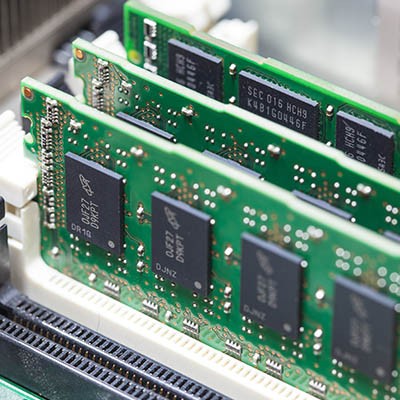
Part two of our desktop buying guide will dig into the details of RAM, or random-access memory. We hope to clear up misconceptions about what RAM actually is, as many users don’t understand the difference between storage and memory. Who knows? You might learn a thing or two to take with you when you purchase your next desktop.
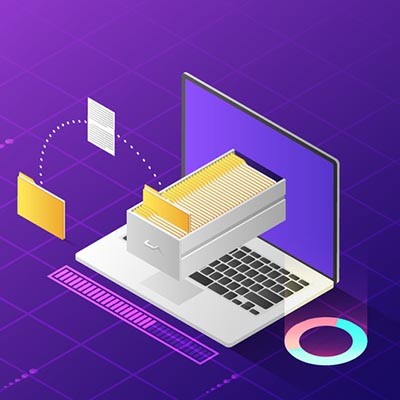
If you don’t take care of your PC’s files, you will quickly discover that it’s easy to lose track of where everything is. You have countless file types, folders, and applications sitting around without any real sense of organization or continuity. Today, we’re going to focus on how to help you better organize your files in a way that it easy to find and understand. You should be able to do so in either your operating system file explorer or in your cloud-based file storage.

Working in an office is the reality for a lot of people, but it doesn’t need to be an unpleasant one. There are plenty of ways to make life easier while working in an office. Here, we’ll review five simple adjustments you can make to streamline your time throughout the workday.

Social media is a great tool that your business can use to communicate with clients and prospective customers, but in an age where you can expect your employees to have their own accounts, it can be devastating to overlook the security issues associated with it. Today, we’ll examine how you can protect your organization from its employees’ social media use.
Customizing your display settings is one of the best ways to make Windows 10 feel like your own experience. There are a ton of settings you can change to your specifics. This week’s tip will walk you through how you can change the settings on your displays, whether it’s a new monitor or the old one you’ve been using since the beginning.

Windows 10 just got a second update for 2018. Some experts think this many major updates to the OS is too many, but when you start to look at the features available through this second update, you may be happy that Microsoft has decided to release it (and re-release it). Today, we’ll take a look at the new update, and a couple of the helpful features that it has rolled out to users.

Android devices are known for being customizable, which doesn’t always translate well to user-friendliness. However, if configured properly, these devices feature some nifty shortcuts to just about any function you might require from your device. Here are just four easy ones:

Working with your computer for so much of the day means you need to get as much productivity out of it as possible. If you can speed up some of the ways you access specific information, you can get even more done. Shortcuts are very helpful to this end. Here are some of the easiest and best ways you can save time while working with a computer.
There is no denying that, of all the application suites in the world, Microsoft Office is the most famous and most popular. Regardless of their size, businesses rely on these programs in order to function--so much so, that a working knowledge of Microsoft Office is often a prerequisite for employment. However, despite so many people using these programs on such a regular basis, few understand their full capabilities. Take, for example, Excel, Microsoft’s spreadsheet program.
Excel is the premier spreadsheet builder, and it’s extremely valuable that your organization get the most out of it. Spreadsheets are ideal for showcasing information in a compact manner, but without a couple of charts, your users will just be staring at cell after cell of boring old numbers. By using charts in Excel, you can take your spreadsheet building to the next level.
Microsoft Office is possibly the most well-known suite of software solutions out there, with Microsoft Word probably being the first of the suite’s included programs to come to mind. We’d also wager that most people don’t know all of Word’s capabilities. This week, we’re taking a closer look at some of Word’s handiest, but relatively unknown, features.

Smartphones are handy little devices for a lot of different reasons, not the least of which their availability when a note needs to be taken and the apps that are available for just that purpose. One of these apps, Evernote, stands a step above the rest, especially for use in a business setting. For our tip this week, we’ll go over some of the features that Evernote offers that can help out your business.
News & Updates
Businesses will often go into the process of self-improvement with unrealistic expectations for how much they can significantly improve their functionality. This simply is not true, and sometimes business owners need to realize that real change—the k...
Understanding IT
Get the Knowledge You Need to Make IT Decisions
Technology is constantly evolving, and keeping up can feel overwhelming. Whether you want to understand cybersecurity threats, explore automation, or learn how regulations like PCI DSS impact your business, we’ve made it easy to access clear, straightforward insights on key IT topics.
Contact Us
Learn more about what Patriot Tech Services Inc. can do for your business.
Patriot Tech Services Inc.
578 State Route 522
Wheelersburg, Ohio 45694