
Patriot Tech Services Inc. Blog
Patriot Tech Services Inc. has been serving the Wheelersburg area since 2006, providing IT Support such as technical helpdesk support, computer support, and consulting to small and medium-sized businesses.


As a smartphone gets older, it’s battery will start to degrade. For years it was as simple as replacing the battery on the device, but over the past several years, no major smartphone manufacturer builds devices with removable batteries. Fortunately for users, the Android OS has made it a point to build power settings into the software that provides them the ability to manipulate how power is used on the phone. Today, we will take a look at some of the settings you can use to keep your device running longer.
0 Comments

Of all the technology that you have in the office, your printers may not be at the top of your list of security concerns. This is a mistake, as an unprotected printer could easily serve as an access point to someone with less-than-righteous motives. To help correct this, we’re dedicating this week’s tip to improving the security of your printing solutions.

You can make more money, but you can’t make more time. Making the most of your time at work isn’t always easy. There are all types of unexpected distractions that take up a lot of time, so you should know what works to help you get the most out of the time you do have. Today, we present three considerations that will help you manage your time better.

Recent events have shown how useful a remote workforce can prove to be, but this method of maintaining productivity isn’t without its challenges. For instance, a staff that is used to working side-by-side in an office may have difficulties in adjusting to this new work paradigm. Fortunately, there are a few company activities that can help make better remote habits stick. Let’s go over a few for this week’s tip.

If you were to look at any company’s list of priorities, chances are that “productivity” could be found somewhere at the top of the list. Current circumstances being what they are and many processes shifting as a result, this productivity is likely more of a challenge than normal. As any bit of saved time can increase productivity, we’re dedicating this week’s tip to a minor change you can make to accomplish this goal.

With so many things that need to be accomplished each day, it always helps to have all the information needed to complete these tasks. If a task has no context assigned to it or no insight into how to approach it, productivity and morale are going to suffer. To prevent this, you need to properly task out your team’s goals. Here, we’ve provided some practices to help.

Each week, we try to provide some tips to help you out in some way. This time, we want to take a somewhat different approach and instead present you with two potential scenarios that your business could encounter—one with and one without a backup solution in play—and let you see the benefit that our tip this week (protect your business with a backup solution) can present.

Collaboration is critical for a business’ success, but with more teams than ever split amongst their homes, it is arguably even more crucial to their operations. For this week’s tip, we’re going over three ways that your team can collaborate more effectively while making remote operations work.

Businesses depend on their networks to effectively complete the tasks they need to accomplish, making it critically important that the one you rely on is managed properly. Let’s go over a few tips and best practices that can help you ensure that it is.

Businesses are just now starting to reopen as stay-at-home orders are lapsing or going to lapse. For many of those businesses, remote solutions have got them through this ordeal and for many others they continue to deploy a remote workforce. For companies still promoting telework, monitoring your local IT environment is something that you need a solution for. For this week’s tip, we’ll discuss some of the best practices you can use to monitor your IT while out of the office.

“Stuff” happens. While this may not be the kind of thing you want to consider in terms of your business’ operations, it is something that must be done if you want to be prepared for the moment when all of that “stuff” hits the fan (as so many businesses are now learning firsthand). We wanted to share a few best practices and tips to help you stay positive during this, and other, serious crises.

We spend a lot of time considering cloud solutions, and as a result, we have a very easy time seeing how much they can do to help support your office’s productivity (especially now, when it isn’t really recommended that anyone congregate in the office). That’s why, for this week’s tip, we wanted to go over how you can help even your remote workforce be more productive by using cloud technology.
PDFs--Portable Document Format files--are a common enough thing to see. However, many people may not realize the extent of what can be done with them… like editing them. For our tip this week, we’ll go over a few of the ways you can create and edit a PDF file.

Windows 10 has been out for almost five years. Now I ask you, have you ever used the Windows 10 Action Center? If the answer is yes, good for you. If the answer is no, it is time to talk about the almost hidden part of Windows 10, and tell you how you can use it to your advantage.

Thanks to the coronavirus, many office workers are working from home to avoid the spread of the virus. For many, this can feel like a nice change of scenery, while others might have a tinge of additional anxiety from it. Regardless of where you stand, working remotely can be both effective and productive, if done right.
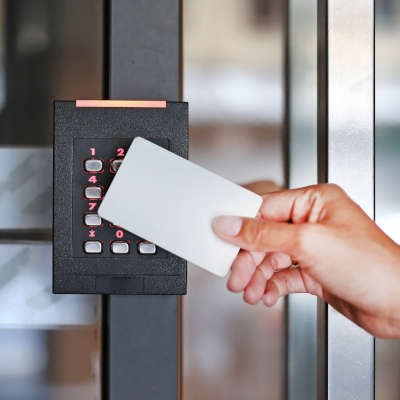
There is no denying that a business’ security--notably, its access control--is absolutely crucial to consider. Here, we’re offering a few tips to help you improve your business’ security through improvements to your access controls and their policies.

Google may know a lot, but believe it or not, it doesn’t know everything. For instance, you may be trying to write up a document in Google Docs that Google doesn’t recognize. Maybe it’s one of your services that you’ve created a name for, or even the name of your business. The problem is that Google likes changing words it deems “wrong”. For this week’s tip, we’ll go over how to stop it from changing words you meant to use.

The modern smartphone has a lot of computing power. It has enough to be a dynamic tool for today’s workers. It can also be a major distraction. Today, we are going to share a couple tips that will help you be more productive with your smartphone.

The Google Play Store has a massive selection of applications available for users to download. Unfortunately, just because they’re available to be downloaded, doesn’t necessarily mean that they should be downloaded. In fact, many of these apps should be avoided. For this week’s tip, we’ll go over a few categories of application that you shouldn’t download in the first place.

Keyboard shortcuts have long been used to move things along faster. In 1994, just about the time that Windows 95 was released, Microsoft produced the new keyboard layout that incorporated the brand-pnew Windows key (or Win Key). When pressed, the Windows Key would immediately open the start menu, which debuted in the software.
News & Updates
Businesses will often go into the process of self-improvement with unrealistic expectations for how much they can significantly improve their functionality. This simply is not true, and sometimes business owners need to realize that real change—the k...
Understanding IT
Get the Knowledge You Need to Make IT Decisions
Technology is constantly evolving, and keeping up can feel overwhelming. Whether you want to understand cybersecurity threats, explore automation, or learn how regulations like PCI DSS impact your business, we’ve made it easy to access clear, straightforward insights on key IT topics.
Contact Us
Learn more about what Patriot Tech Services Inc. can do for your business.
Patriot Tech Services Inc.
578 State Route 522
Wheelersburg, Ohio 45694